The Best Mechanical Keyboards for People Who Type All Day
A mechanical keyboard is a working tool, not a hobby kit. We compare switch types, layouts, keycaps and repairability for people who write for a living.
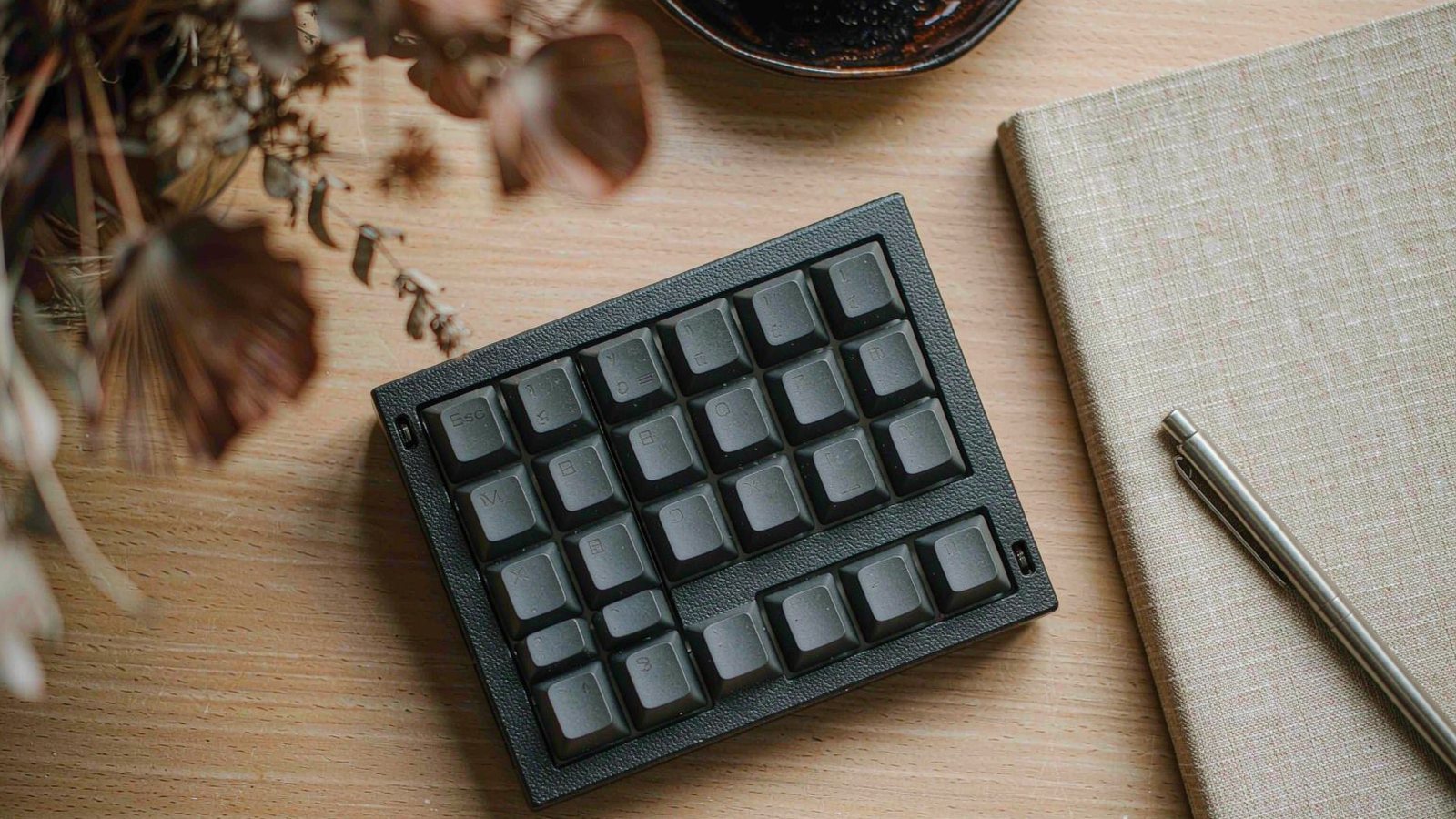
Top picks at a glance
Tap any pick to jump to the full breakdown, or use the link to check the current price.
| Pick | Best for | Check price |
|---|---|---|
| Keychron Q1 Pro Best overall for typing | People who type several thousand words a day and want a soft, quiet, deliberate feel | Check price |
| Logitech MX Mechanical Best for shared offices | Open-plan offices and anyone who shares a room while working | Check price |
| Ducky One 3 Best classic wired board | Anyone who wants a dependable wired keyboard and dislikes installing configuration software | Check price |
| NuPhy Air75 V2 Best low-profile for travel | People who move between desks and want mechanical feel in a slim, packable board | Check price |
| Glorious GMMK Pro Best for building and modifying | Tinkerers who intend to swap plates, switches and stabilisers over time | Check price |
| Akko 5075B Plus Best budget pick | A first mechanical keyboard, or a second board for a different desk | Check price |
The case for a mechanical keyboard at work is not about speed. Most people type at roughly the same rate on any decent board. The case is about adjustability, repairability and comfort over years, and about the fact that a keyboard is the object you touch more than any other piece of equipment you own.
The case against is equally real. Mechanical keyboards are heavier, louder, more expensive, and the enthusiast scene around them is designed to convince you that your board needs six more upgrades. This guide is written for the person who wants a good tool and not a second hobby.
The decisions that matter, in order
1. Layout, which you cannot change later
Layout is the first and least reversible choice. A full-size board keeps the number pad and a wide footprint. A tenkeyless drops the pad. A compact layout squeezes the arrows and function keys into the main block, freeing desk space for the mouse.
Count how often you genuinely use the number pad. If it is a few times a month, you are trading a permanent ten centimetres of desk for it. If you work with spreadsheets or accounting software, keep it.
2. Switch weight, over switch category
Linear, tactile and clicky describe the feel. The figure that affects your fingers after eight hours is the actuation force. Lighter switches suit fast, prolonged typing; heavier switches give a more deliberate feel and become tiring. If you can try a switch tester before committing, do — it costs very little and prevents a much more expensive mistake.
Clicky switches have no place in a shared office. That is not a preference, it is basic consideration.
3. Case material and mounting
A metal case with a gasket mount gives a softer, less abrupt bottoming-out feel because the plate floats on compressible material rather than sitting hard against the case. The difference is subtle in a ten-minute test and obvious over a full working day. Plastic cases are perfectly serviceable and cost far less, but they sound hollow and move more under fast typing.
4. Keycaps and profile
Keycap height and shape change how the board feels as much as the switches do. Taller, sculpted caps suit a more upright hand position; flat, low profiles suit a shallower one. If you use a wrist rest, a low-profile board makes more sense. If your hands hover naturally, a taller profile may feel better. Keycaps are also the easiest part to replace, so this is a decision you can revisit cheaply.
5. Connectivity and switching between machines
If you use two computers, multi-device wireless switching is worth more than any other feature on this list. It removes the routine of unplugging a cable or repairing Bluetooth several times a day. Wired boards are more reliable in absolute terms but tie you to one machine.
6. Hot-swap sockets and repairability
Hot-swap means a single failed key is a twenty-minute fix rather than a soldering job or a new keyboard. It also means you can change the entire feel of the board for the cost of a switch set. If you are uncertain about switch choice, buying a hot-swap board first is the smart sequence.
What we would not pay extra for
- Per-key lighting on a work keyboard. You are looking at the screen, not the board.
- A group-buy or limited-edition case. Long waits and no support path if something is wrong.
- Extreme weight for its own sake. A heavy board is stable and immovable, which is a downside if you ever move it.
- An elaborate custom cable. It is a cable. Buy a reliable one and spend the money on switches.
- Sound-dampening kits before you have used the board. Fix the problem you have, not the one a forum convinced you to expect.
A sensible first purchase path
- Pick the layout based on whether you use the number pad and how much desk you have.
- Try a switch tester. Twenty minutes with a cheap sample set beats a week of reading descriptions.
- Buy a hot-swap board. It turns a wrong switch choice into a small correction.
- Use it stock for a month. You will learn what you actually dislike rather than assuming.
- Change one thing at a time. Keycaps, then switches, then stabilisers if needed.
- Keep the original parts. They make the board easier to sell or hand on.
When the laptop keyboard is the right answer
If you work from a laptop in different places every day, a separate keyboard is another thing to carry and another thing to forget. If your wrists are comfortable and you type without strain, there is no problem to solve. And if the real discomfort comes from the height of your screen rather than the keys, a stand and an external keyboard will fix the posture issue far more cheaply than a premium mechanical board.
How this guide was researched
We did not measure keystroke force or take sound recordings. This comparison is based on published specifications, manufacturer documentation, repairability information and consistent themes in long-term owner reports, particularly the issues that appear after months of daily use: key chatter, stabiliser rattle, finish wear and software problems. Where we describe feel or sound, we are summarising patterns in owner experience rather than results from a test bench we operated. Switch preferences are personal and keyboard stock varies by variant, so check the exact configuration, the return policy and the current price before buying.
Our picks in detail
Keychron
01 Keychron Q1 Pro
A heavy aluminium case with a gasket mount that softens the feel of every keystroke, plus wireless and hot-swappable switches. The weight is the trade: this is a keyboard that stays on the desk.
Best for: People who type several thousand words a day and want a soft, quiet, deliberate feel
- Aluminium case with a gasket mounting design
- Wireless and wired connectivity with multi-device switching
- Hot-swappable switch sockets
- Rotary knob and programmable layers
Pros
- Softer bottoming-out feel over long writing sessions
- Switches can be replaced without soldering
- Heavy enough that it does not slide around
Cons
- Too heavy to carry between home and office
- Stock switches are a matter of taste and many people swap them
We may earn a commission from this link. Learn more.
Logitech
02 Logitech MX Mechanical
Low-profile mechanical switches that are quieter than a full-height board, with the multi-device switching that makes the Logitech ecosystem useful. It looks like an office keyboard and behaves better than one.
Best for: Open-plan offices and anyone who shares a room while working
- Low-profile mechanical switches with a short travel
- Multi-device switching across several computers
- Smart backlighting that responds to your hands
- Long rated battery life with the backlight off
Pros
- Quiet enough that colleagues will not complain
- Switches between machines without repairing Bluetooth
- Shallow profile is comfortable if you do not use a wrist rest
Cons
- Switches are not hot-swappable
- Keycaps are harder to replace than a standard set
We may earn a commission from this link. Learn more.
Ducky
03 Ducky One 3
A straightforward, well-built wired keyboard with hot-swap sockets and no software requirement. Everything is configured on the board itself, which is either a virtue or an annoyance depending on your patience.
Best for: Anyone who wants a dependable wired keyboard and dislikes installing configuration software
- Hot-swappable switch sockets on most variants
- Onboard configuration without companion software
- Double-shot keycaps in several profiles
- Detachable USB-C cable
Pros
- No drivers, no accounts, no background software
- Solid, stable typing feel
- Wide range of layouts and switch options
Cons
- Configuration through key combinations takes practice
- Wired only, so it is tied to one machine
We may earn a commission from this link. Learn more.
NuPhy
04 NuPhy Air75 V2
A slim mechanical board that fits in a laptop bag without the depth of a standard mechanical keyboard. Travel is shorter than full-height switches, so the typing feel is a compromise even if the sound is not.
Best for: People who move between desks and want mechanical feel in a slim, packable board
- Low-profile mechanical switches with a compact layout
- Wireless and wired connectivity with multi-device pairing
- Hot-swappable low-profile sockets on supported models
- Thin aluminium frame
Pros
- Slim enough for a laptop bag
- Quiet and unobtrusive in shared spaces
- Good build quality for the size
Cons
- Short travel means less of the mechanical feel people expect
- Low-profile keycap options are far more limited
We may earn a commission from this link. Learn more.
Glorious
05 Glorious GMMK Pro
Designed to be opened, changed and rebuilt, with a well-documented ecosystem of plates, gaskets and stabilisers. It is the wrong first mechanical keyboard for most people and an excellent second one.
Best for: Tinkerers who intend to swap plates, switches and stabilisers over time
- Aluminium case with a gasket mount design
- Hot-swappable sockets and a well-documented modification path
- Rotary knob with programmable actions
- Wired connection with per-key lighting
Pros
- Enormous range of community documentation and parts
- Easy to open and modify without special tools
- Solid, premium typing feel once set up
Cons
- Requires software for full configuration
- Stabilisers often need tuning out of the box
We may earn a commission from this link. Learn more.
Akko
06 Akko 5075B Plus
A compact wireless board with hot-swap sockets and a gasket mount at a price that undercuts the premium options substantially. Expect lighter materials and a less refined sound, and expect it to work.
Best for: A first mechanical keyboard, or a second board for a different desk
- Compact 75 percent layout with a rotary knob
- Wireless and wired connectivity with multi-device support
- Hot-swappable switch sockets
- Gasket mounting in a plastic or acrylic case
Pros
- Very low price for the feature set
- Switches can be swapped without soldering
- Compact layout leaves room for a mouse
Cons
- Case materials feel noticeably cheaper than aluminium
- Stock stabilisers and keycaps are the usual first upgrades
We may earn a commission from this link. Learn more.
The bottom line
Our verdict
For most people who write for a living, the Keychron Q1 Pro is the safest substantial purchase: the aluminium case and gasket mount make long sessions easier, and hot-swap sockets mean you can change the feel later without buying a new board. If you share an office, the quiet Logitech is the more considerate choice and its multi-device switching is genuinely useful. Choose the Ducky if you want a wired board with no software, and the budget Akko if you are not yet sure mechanical switches suit you. Whatever you buy, choose the layout first and the switch second, because layout is the decision you cannot change later.
Frequently asked questions
Are mechanical keyboards actually better for typing?
They are more customisable rather than automatically better. A mechanical board lets you pick the force and travel of each key, replace parts and repair individual switches, which is useful over years of use. Whether that feels better is personal. Plenty of people type faster on a good laptop keyboard, and a comfortable wrist position affects comfort far more than the switch mechanism does.
Which switch type should I choose?
The honest answer is that the categories matter less than the weight. Light switches need less force and suit long writing sessions. Heavier switches give a more deliberate feel but tire fingers faster. Linear, tactile and clicky describe the feel rather than the quality, and clicky switches are a poor choice in any shared space.
Is a smaller layout worth it?
If you use the number pad daily, keep it. If you do not, dropping to a compact layout frees desk space for a mouse and reduces the reach to the right side of the board. Many people use the number pad a few times a month and give up ten centimetres of desk for it permanently.
Do hot-swappable switches really matter?
They matter if you are unsure about switch choice or you like to experiment. Without hot-swap, changing switches means desoldering, which most people will not do. With hot-swap, a set of switches is a modest purchase and a twenty-minute job, which makes the keyboard far more adjustable over its life.
Sources & further reading
- Keychron — official product and specification pages
- Logitech MX Mechanical — official product page
- Ducky keyboards — official product pages
Facts and availability last checked September 15, 2026.
Keep going
Related guides
 Tech
Tech The Best Noise-Cancelling Headphones for Commuters and Open Offices
We compared over-ear noise-cancelling headphones on published specs, comfort for long wear, call quality and warranty cover — plus which models to skip and why.
 Tech
Tech The Best Robot Vacuums for Homes With Pets and Constant Hair
Pet hair is the hardest test for a robot vacuum. We compare brush designs, self-emptying bases and navigation to find the ones that cope with real animals.
 Tech
Tech The Best Laptops for College Students Who Don't Want to Replace Them in Two Years
A student laptop should survive four years, not two. We compare repairability, battery, keyboard and support policies instead of benchmark charts.